
TopoNZ for iPhone
Log your tramp.
Let home follow.
The app records your trip in the background and keeps sending your position when there is no cell coverage, over One NZ satellite data. Every trip lands on toponz.com, where the people at home can follow along live and you can replay it as a 3D fly-over.

Keeps sending over satellite
Out of cell coverage, the app carries on over One NZ satellite data. By default it sends the full track in small compressed bursts; switch to latest position only if you want to send less. A multi-day tramp costs a few kilobytes.
The forecast, even out of coverage
Get the forecast where you are, or search any hut, peak or pass on the phone, no signal needed. The next three days come back in 6-hour blocks: temperature, rain, wind and gusts, plus any MetService warnings, in a reply of a few hundred bytes. With no coverage, the request waits and goes as soon as the phone reaches satellite.
Know if the weather turns
Plan your tramp on toponz.com: pick a saved track and a start time, and tick Alert me on my iPhone. From three days out, the app tells you if heavy rain, strong wind, freezing or wind chill, or a MetService warning turns up along the route, and where on the track it hits. The evening before, you get a summary of the whole route.
Start a trip, put the phone away
One tap starts logging. The app records in the background, filters out GPS jitter, and keeps every point on the phone until the server has confirmed it.
Light on battery, light on data
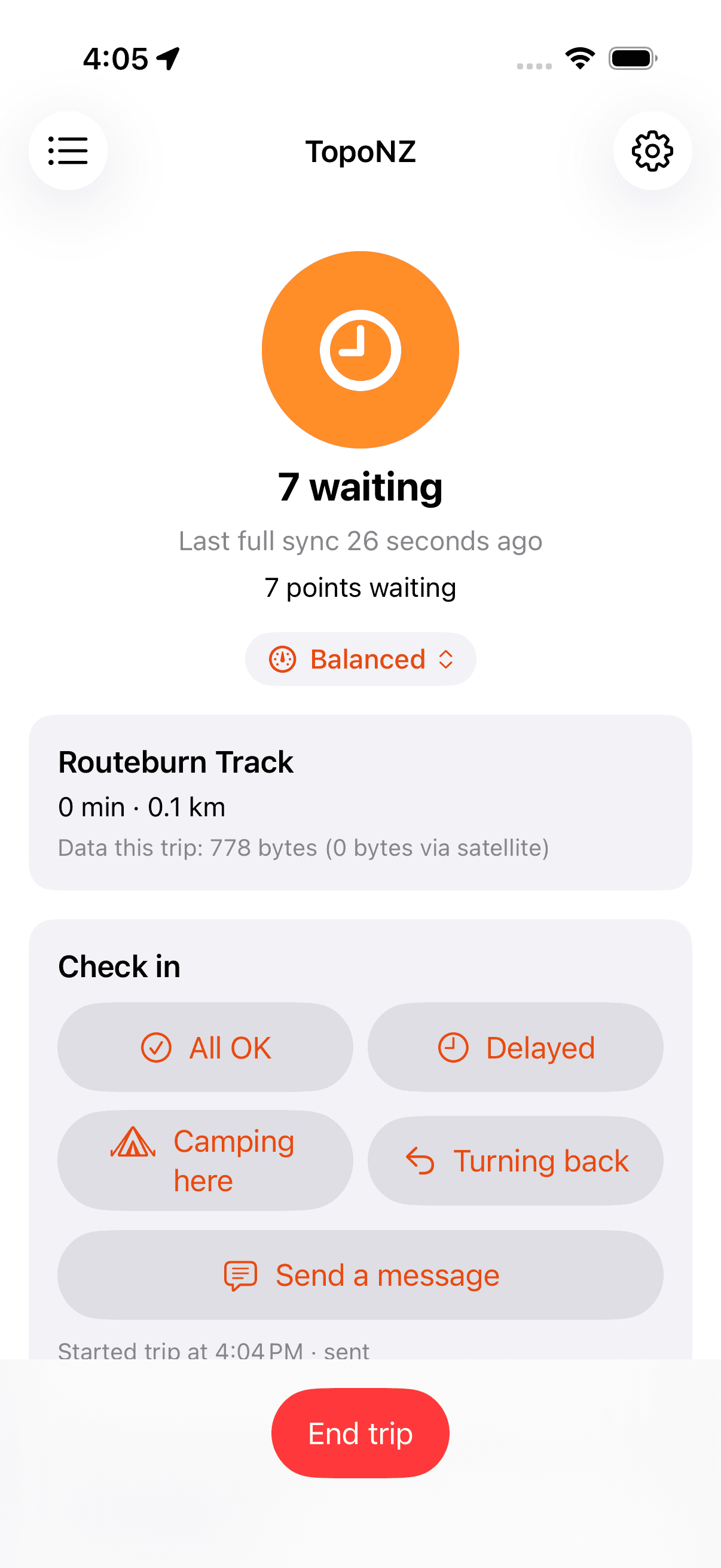
Pick Detailed, Balanced, Battery saver or Check-ins only, or set your own intervals. Auto battery saver steps down at 20% and 10%. Points go up in compact batches, so a day on the track costs a few kilobytes.
Know when you are synced
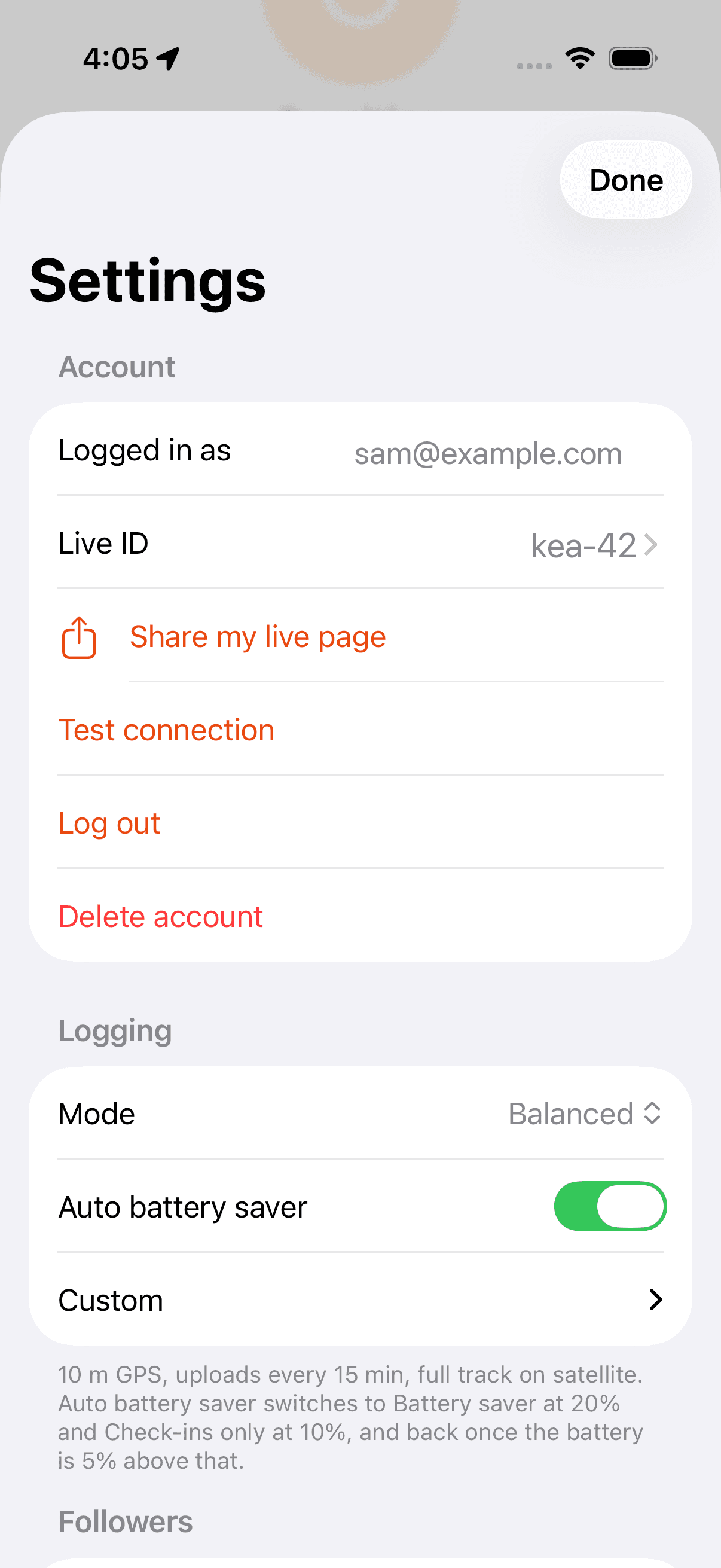
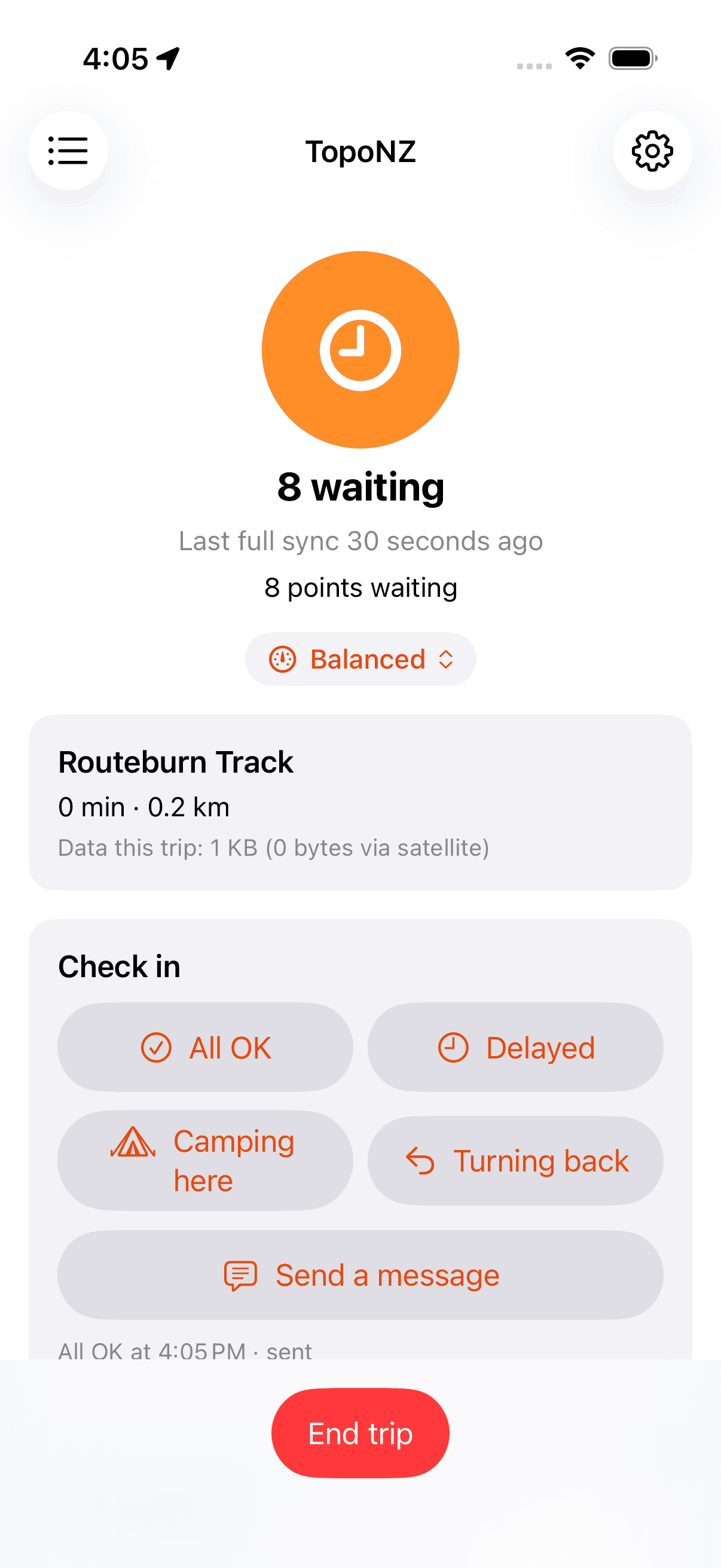
One status at the top of the screen: All synced, Syncing, how many points are waiting, or Not synced. If nothing has reached the server for a while, two hours by default, the app sends you a notification.
Check in
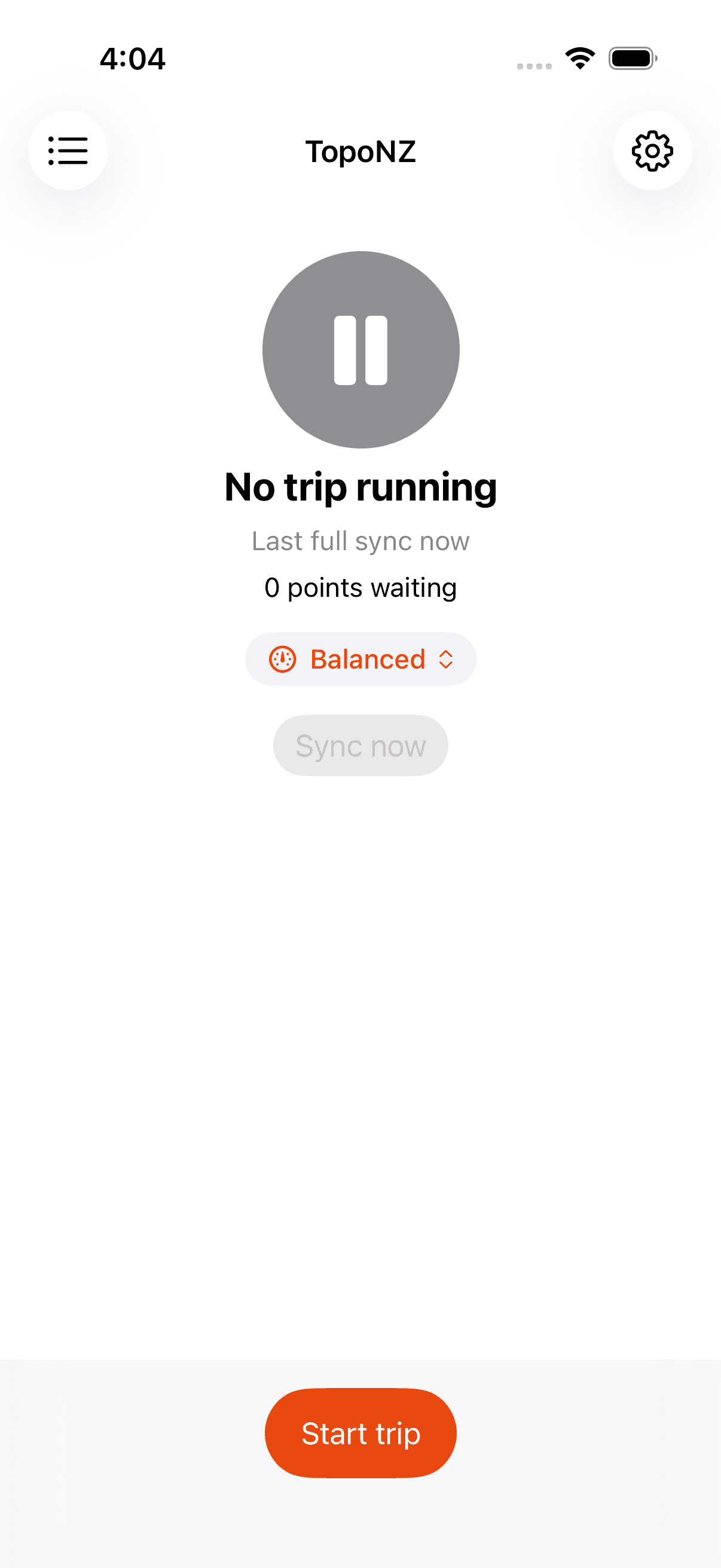
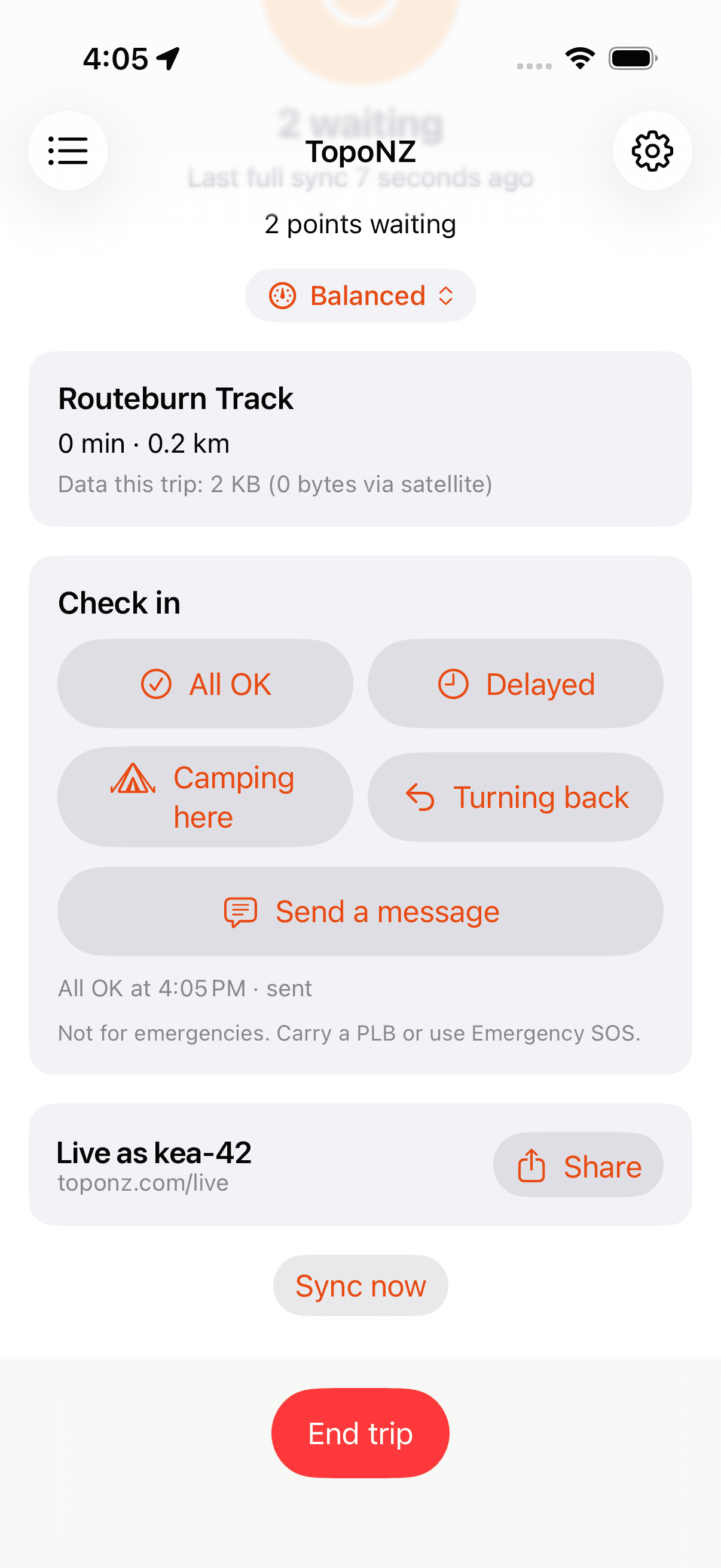
All OK, Delayed, Camping here or Turning back, or a short message, sent with your position. Not for emergencies. Carry a PLB or use Emergency SOS.
Let home follow along
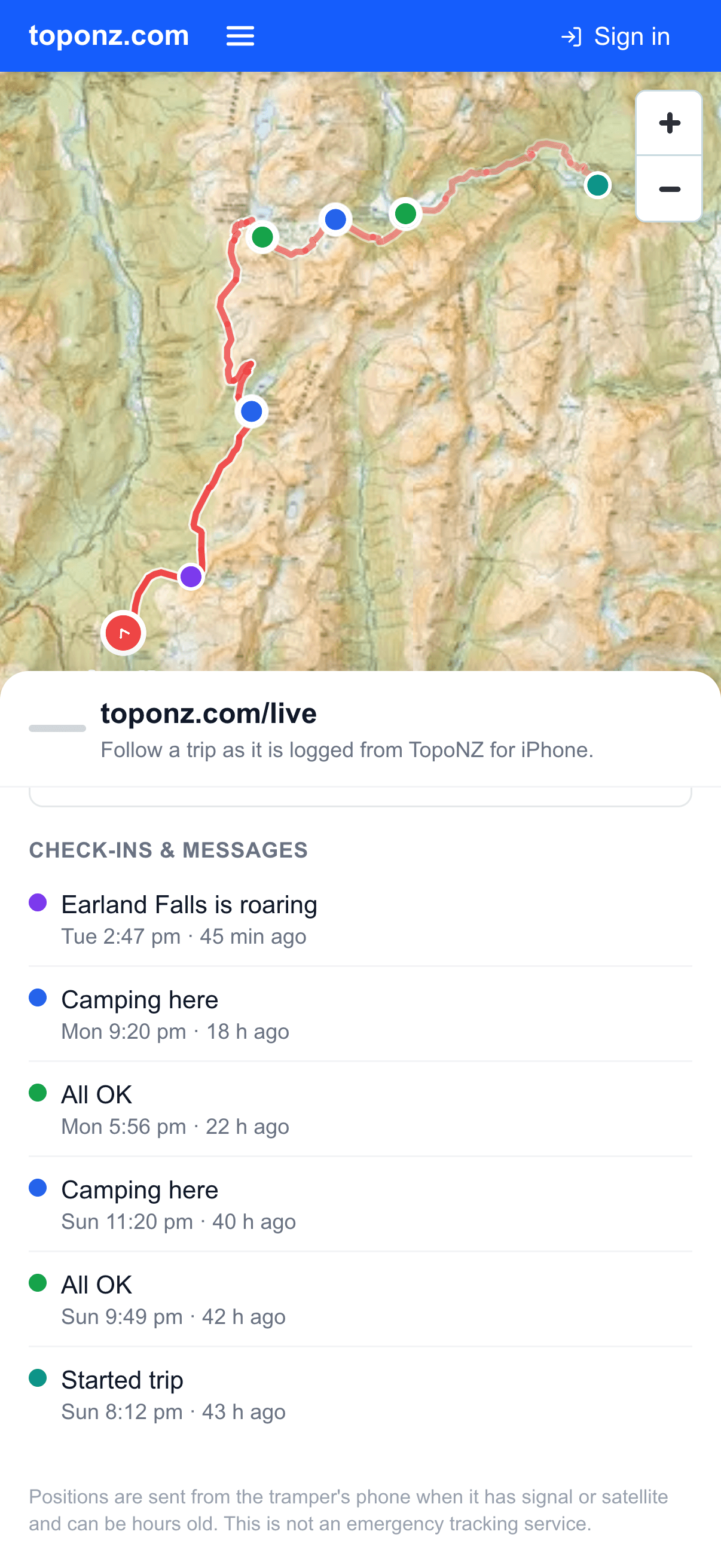
Share your Live ID and the people at home can watch the trip on toponz.com/live. Followers get a push alert when you start a trip, check in, run low on battery or finish. Hide yourself from Live whenever you like.
Watch from the couch
Open toponz.com/live, search a Live ID, and follow the trip on the map: the latest position, every check-in as it lands, and the climb so far.
Every trip on the map
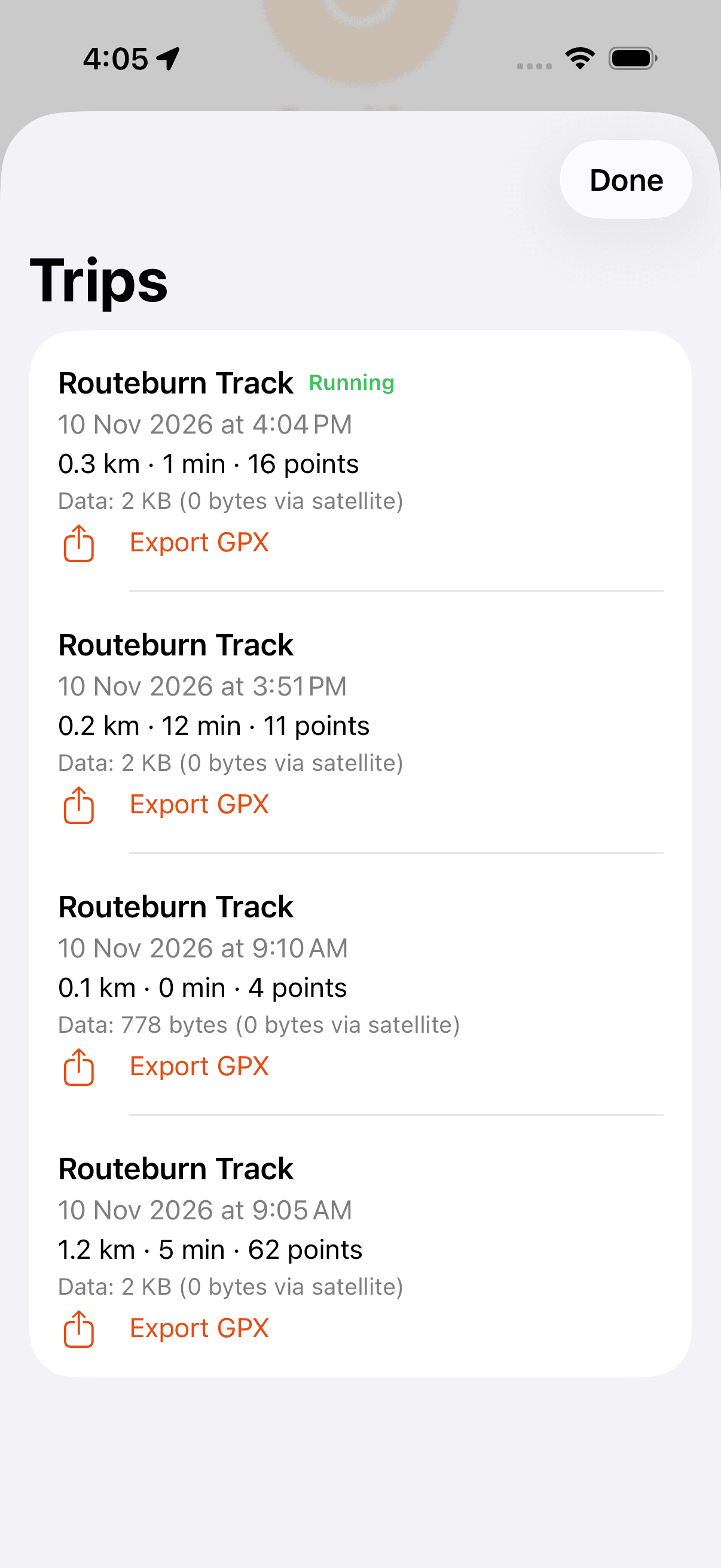
Each trip lands in My Tracks on toponz.com with its distance, climb, elevation profile and the full GPS log, ready to replay as a 3D fly-over. Export any trip as GPX straight from the phone.
See what it costs
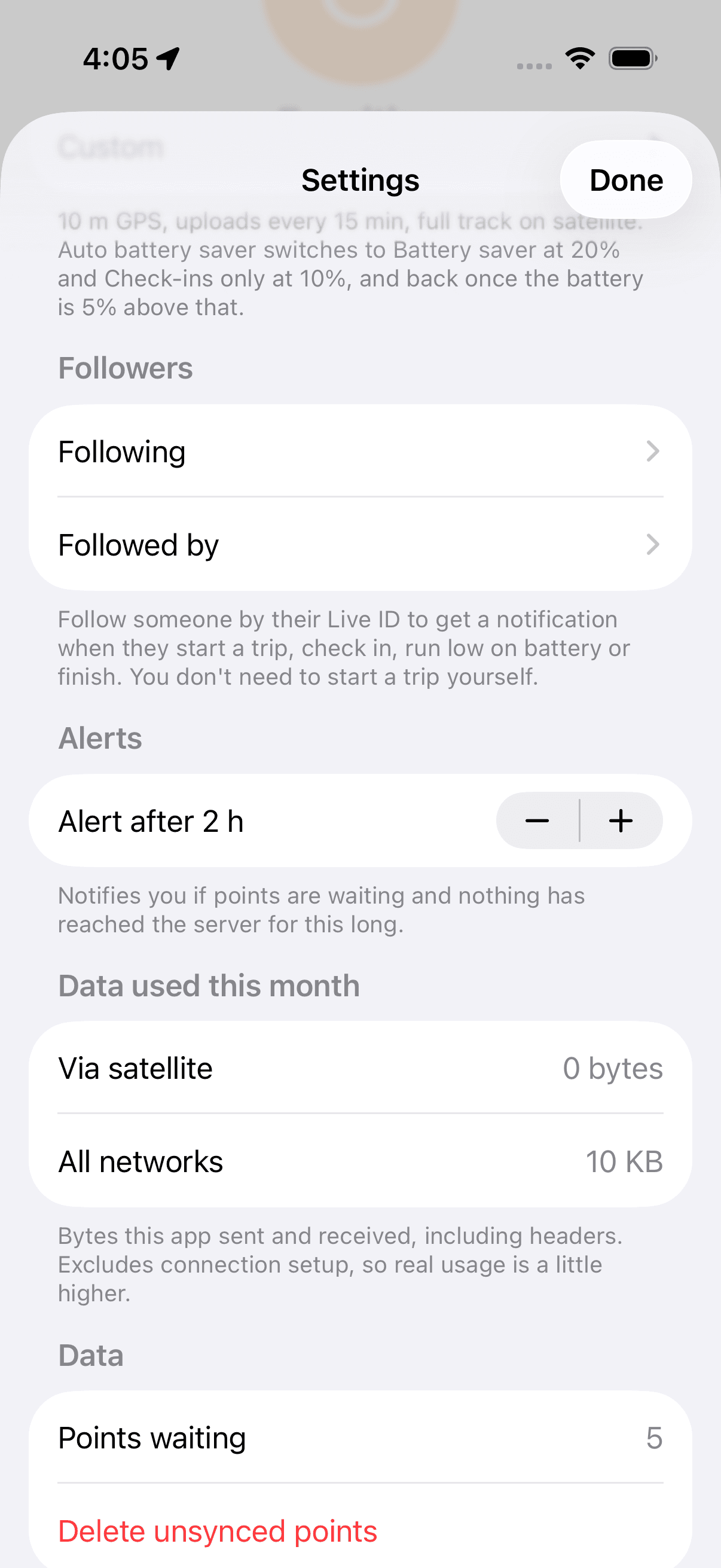
A data meter shows what the app has sent this month, via satellite and over all networks, and what each trip used.
One free account. Web and iPhone.
Log on the phone, look on the web. Your trips, your tracks, your gear lists and your Live ID all belong to the same toponz.com account.
Support
Questions or problems? Email tom@techkom.co with your Live ID and the trip date.